What it is for
You applied packages, you did not like the result, and you want Windows exactly as it was. That is the whole job. It is the step before a Windows restore point, not instead of one, and it is far gentler: nothing rolls back, nothing reboots, no installed program disappears. Only the settings go back.
How it knows what to undo
The first time ZION Tweaks runs on your PC it writes down how every setting it can ever touch looks right now. Not a guess and not a scan of the whole system: the exact list of settings it owns, with your values.
From then on, every single change it makes is recorded, with the value before and the value after. ZION Restore reads that record and writes the old values back. A setting that did not exist before is deleted, not set to zero.
That is why it is exact. It is not looking at Windows and trying to work out what is wrong. It is reading what we did.
Find it and run it
- Open the ZION Tools folder next to ZION Tweaks. The app also has an Open ZION Tools folder button under your name.
- Run ZionRestore.exe as administrator. Windows asks, that is normal, it writes in system settings.
- It opens and immediately compares everything against your starting point. That takes under a second.
If you run it before ZION Tweaks ever touched anything, it simply saves the starting point and says there is nothing to put back. That is a good moment to run it once.
Put everything back
You see every setting that no longer matches, grouped by tab, with the current value and what it used to be. One button, Restore everything, walks the list and puts each one back with a tick as it goes.
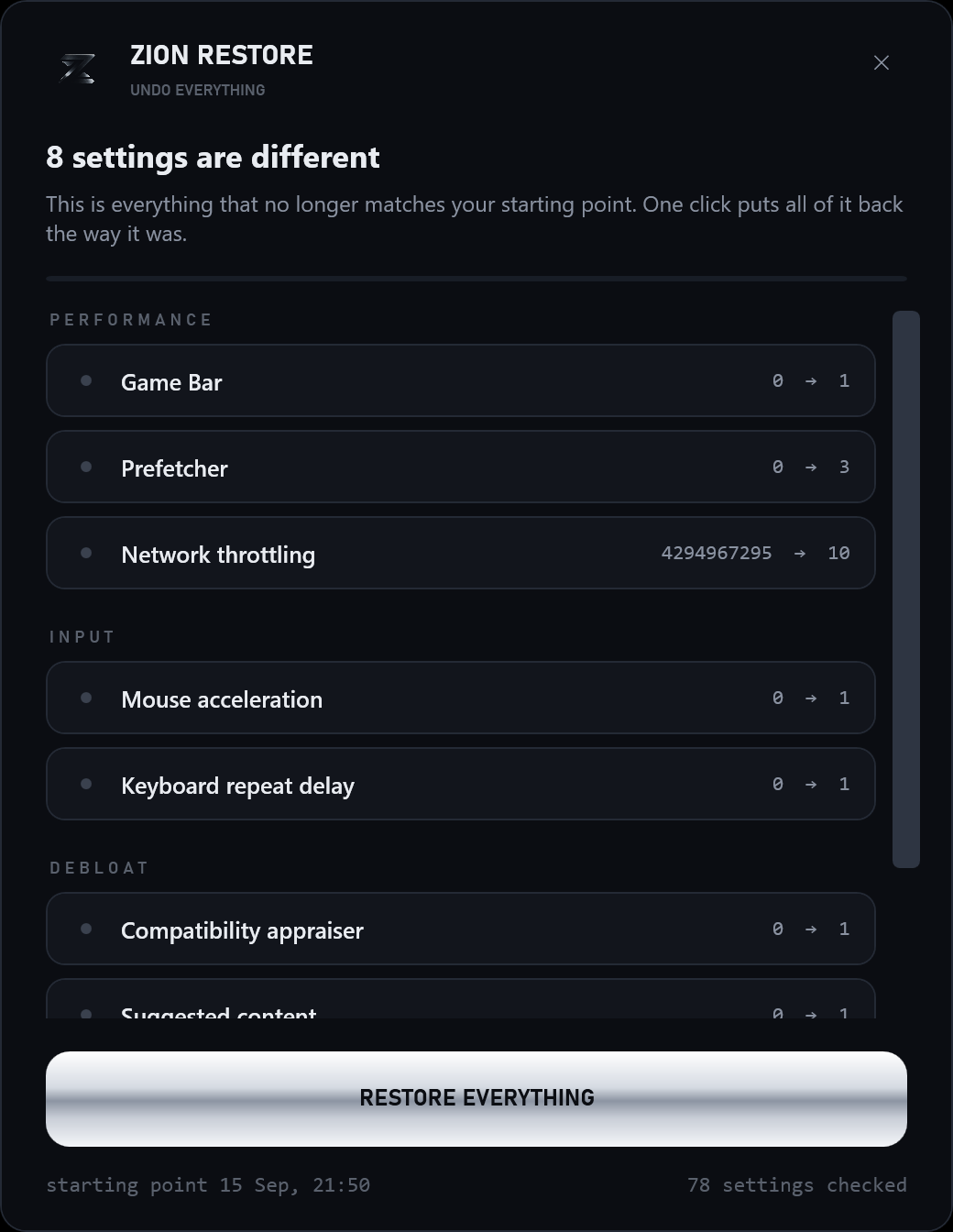
Some settings only take hold after a restart. If Windows still feels different, restart once before deciding it did not work.
If that is not enough
ZION Tweaks also makes a Windows restore point on its own, quietly, so there is always a bigger undo behind the small one. Open Create a restore point from the Start menu, press System Restore and pick the ZION one.
Still not right? Open a ticket on Discord, describe what changed, and we look at it.
That is all it does.
One tool, one button, and your Windows is the way you found it.